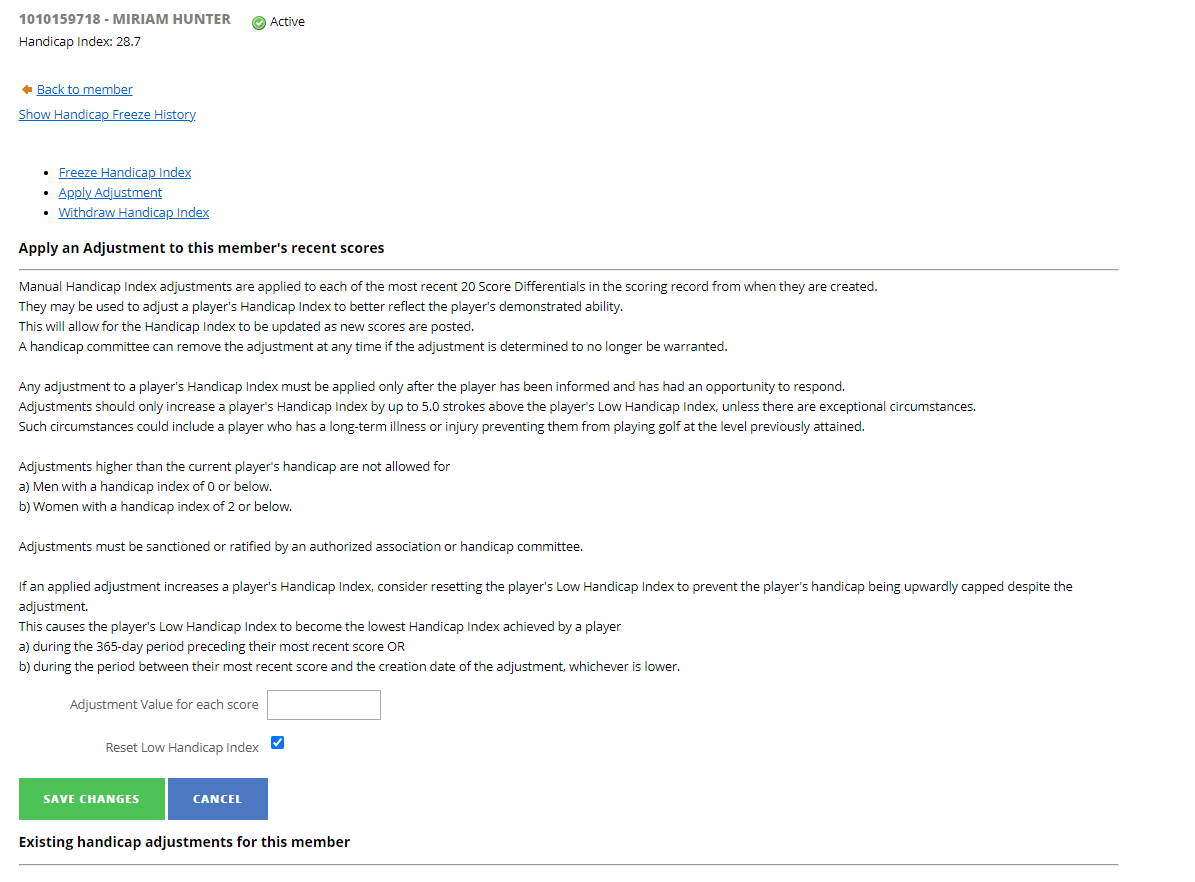
- Before deciding to apply an adjustment to a member’s Handicap Index, please ensure that you have conducted a review of the members Handicap Index as outlined on Rule 7.1a (i) of the Rules of Handicapping.
- Enter an ‘Adjustment Value for each score’ which will apply an adjustment to the last 20 scores within the member’s record.
- When applying an adjustment, we recommend that you also reset the player’s Low Index by ticking the ‘Reset Low Handicap Index’ tick box:
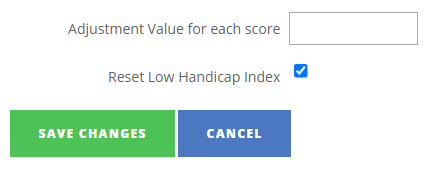
- Handicap Index can only be adjusted -/+ 5, any larger adjustments will need to be approved by the county through the platform (clubs will need to liaise with their County Handicap Advisor in this instance).
- Save changes by clicking ‘Save Changes’ at the bottom of the page (or ‘Cancel’ to exit without saving).
NOTE: All adjustments made 1 September 2022 onward will note the user login under which the adjustment was made.
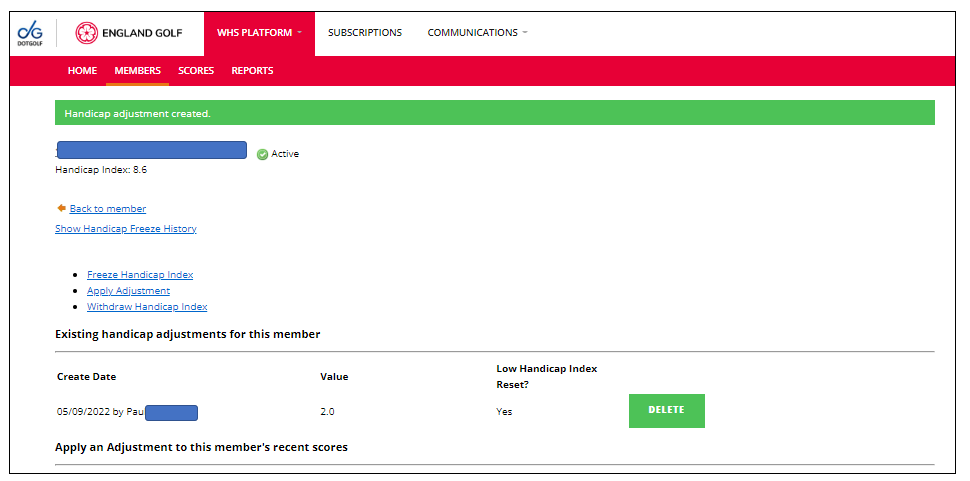
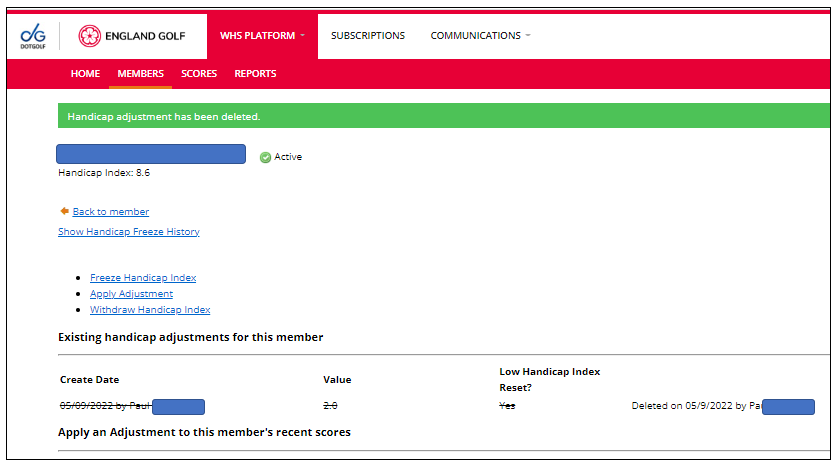
Equally the same applies if that Handicap Index adjustment is removed. See following screenshot:
Was this article helpful?
That’s Great!
Thank you for your feedback
Sorry! We couldn't be helpful
Thank you for your feedback
Feedback sent
We appreciate your effort and will try to fix the article