- Select the ‘Members’ menu option/tab:
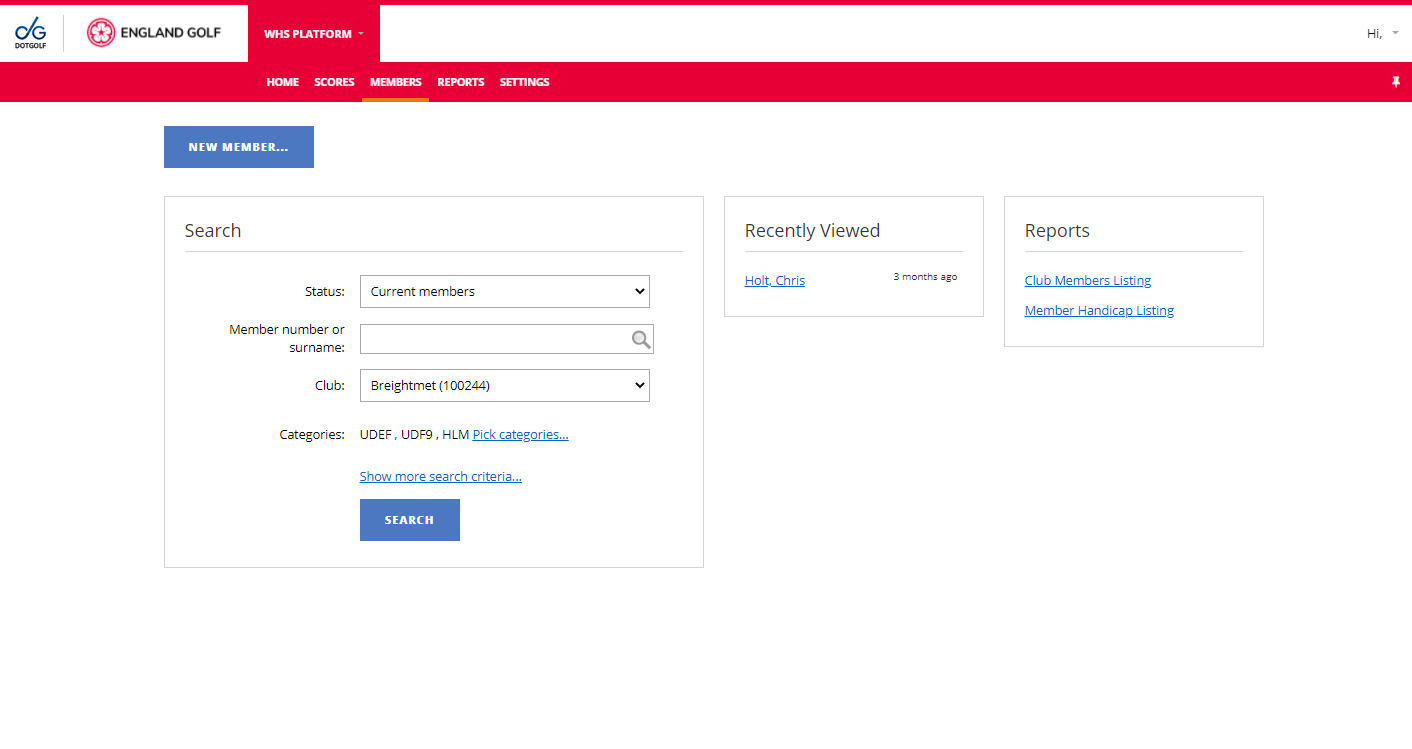
- Search for member (see Members: Existing Members: Searching)
- Member’s ‘Scoring History’ can be selected by clicking the link either via the member overview area or via the basic tab:
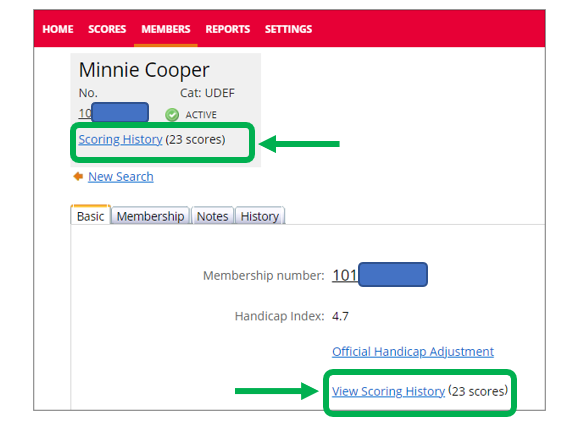
Scoring record displayed with the option to filter:
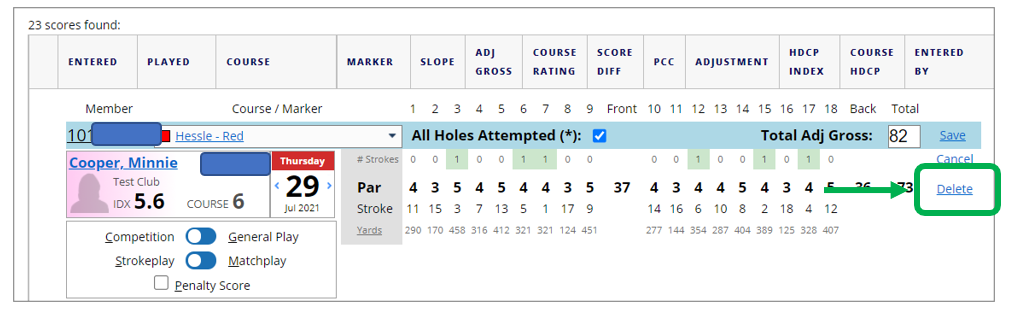
- Should you wish to edit a score click ‘Edit’ next to the relevant score and depending on how the score was entered you will have the option to edit the hole-by-hole score or the Adj Gross Score.
- Should you wish to delete a score you will first need to select edit next to the score and then click delete. Note: Please take care when deleting a score as once delete is clicked the score is removed and cannot be recovered.
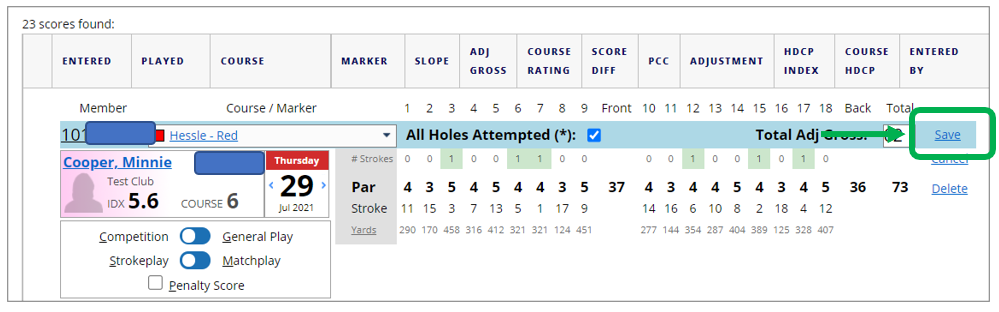
Ensure you click Save if you have made any changes:
Was this article helpful?
That’s Great!
Thank you for your feedback
Sorry! We couldn't be helpful
Thank you for your feedback
Feedback sent
We appreciate your effort and will try to fix the article