Once you’ve added your hole-by-hole scores and are ready to submit your scorecard for attestation, you’ll need to find and select your attestor.
If your attestor doesn’t appear straight away, don’t worry. You may just need to change the search filters so MyEG is looking in the right place.
Follow the steps below to find your attestor.
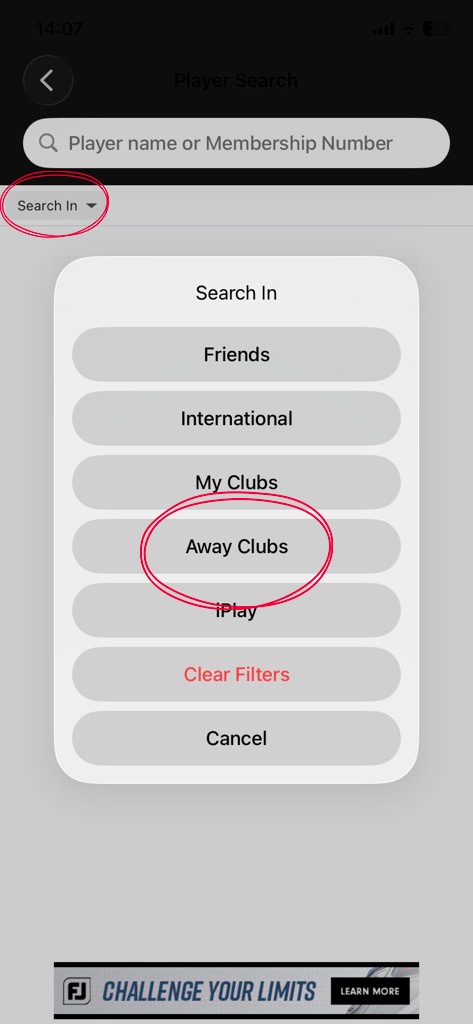
1. Change the ‘Search In’ filter
Select the ‘Search In’ filter and change it to ‘Away Club’.
You should also select ‘Away Club’ if your attestor is an iGolf subscriber.
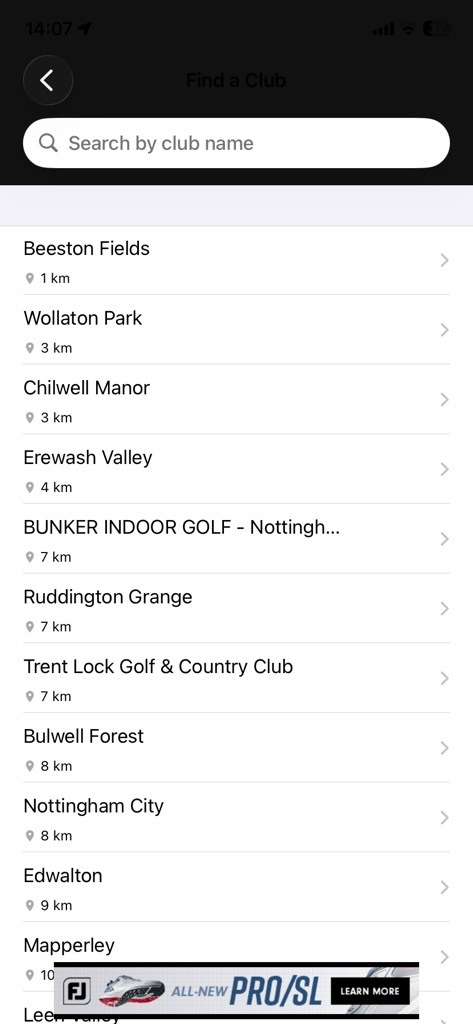
2. Select your attestor’s home club
Open the ‘Club’ filter. This may initially be set to your home club.
Search for and select your attestor’s home club. If your attestor is an iGolf subscriber, search for and select ‘iGolf’ instead.
3. Search for your attestor
Once you’ve selected the correct filters, search for your attestor using their surname or membership number.
If you’re searching by membership number, make sure you enter the number correctly.
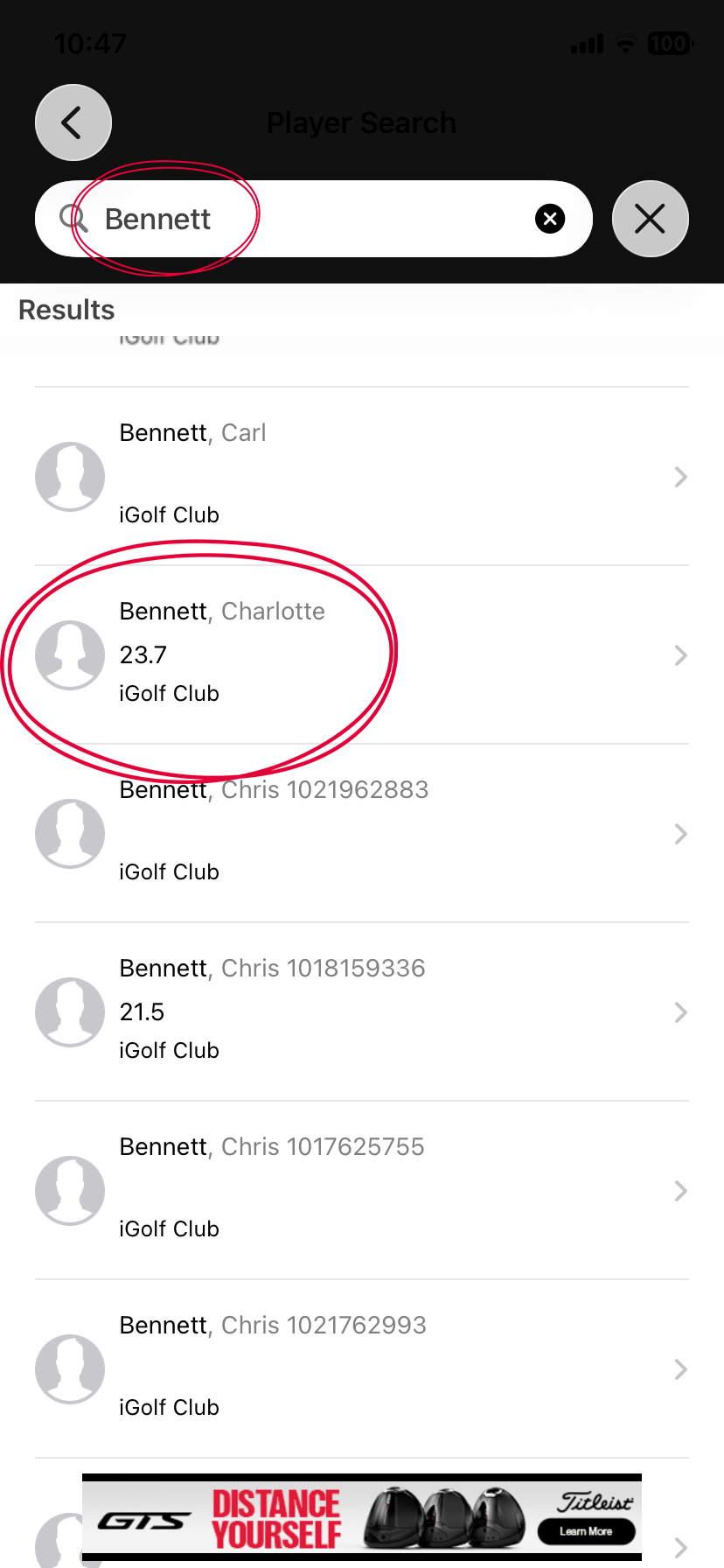
4. Select your attestor
Find your attestor in the search results and select them to continue with your score submission.
If you can’t find your playing partner, check that you’ve selected the correct club and try searching again using their surname or membership
Was this article helpful?
That’s Great!
Thank you for your feedback
Sorry! We couldn't be helpful
Thank you for your feedback
Feedback sent
We appreciate your effort and will try to fix the article