Go into “Settings” and select “Categories” which is found under Membership Settings.
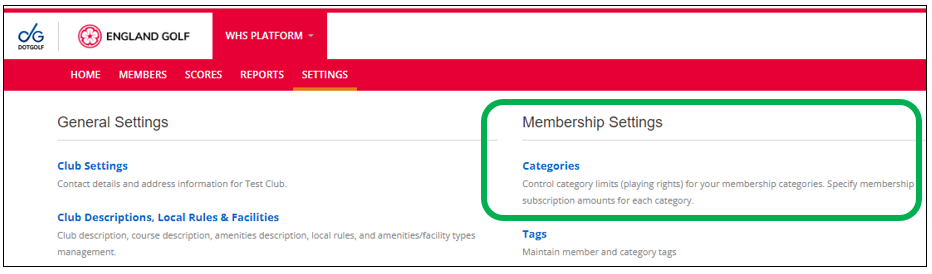
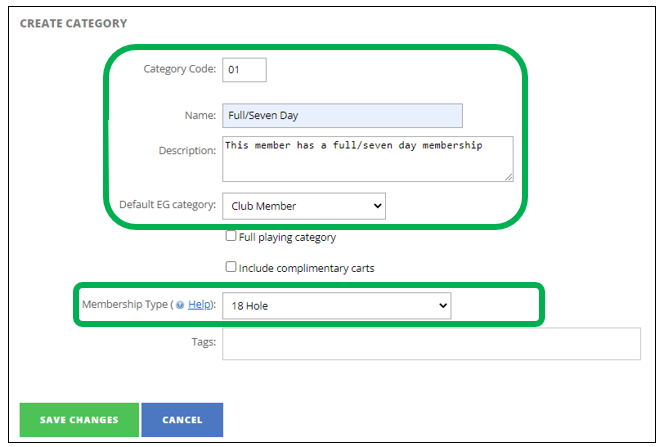
- Click on “New Category”
- Add a “Category Code”
- Best practice would be to start 01 and follow on with 02, 03 etc.
- Add a “Name” – such as Full/Seven Day”
- Add a description if necessary
- Default EG category will be fixed as “Club Member”
- Membership Type can be amended between 18 or 9 hole
- Click on “Save Changes”
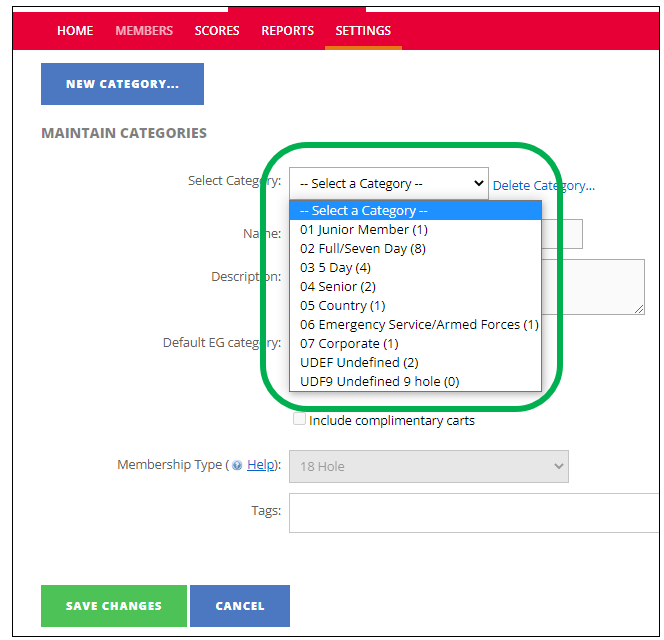
Once complete you will see the categories you have set up for your club.
Note: Anything in brackets dictates the number of members within the category
When categories are all in place you can better understand your members through reports such as “Category Members Counts Report”.
Following is a screenshot example:
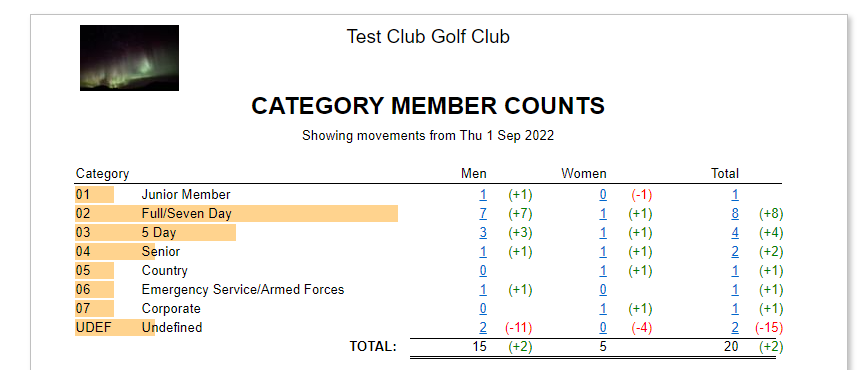
Further details of this report can be for HERE
Was this article helpful?
That’s Great!
Thank you for your feedback
Sorry! We couldn't be helpful
Thank you for your feedback
Feedback sent
We appreciate your effort and will try to fix the article