This report is used to breakdown your membership by category. If a club wish to create categories you can do this by going into “settings” and selecting “categories” under Membership Settings.
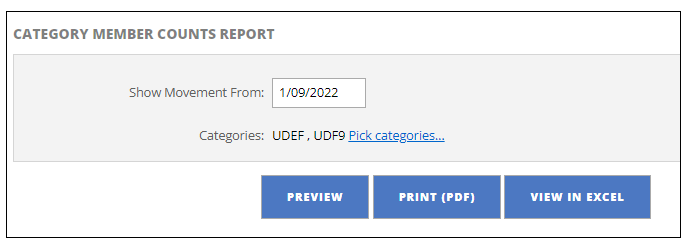
- Select the date you wish to view
- If you have set up categories you can select “Pick Categories” and filter
- Click Preview, Print PDF or View in Excel
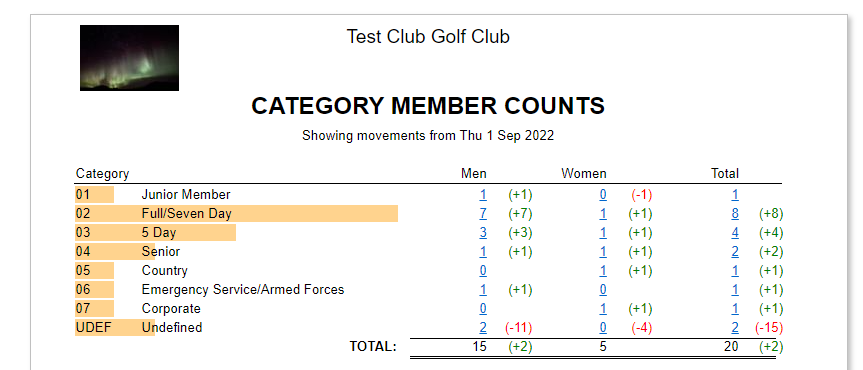
The following screenshot example shows what the report looks like:
Was this article helpful?
That’s Great!
Thank you for your feedback
Sorry! We couldn't be helpful
Thank you for your feedback
Feedback sent
We appreciate your effort and will try to fix the article