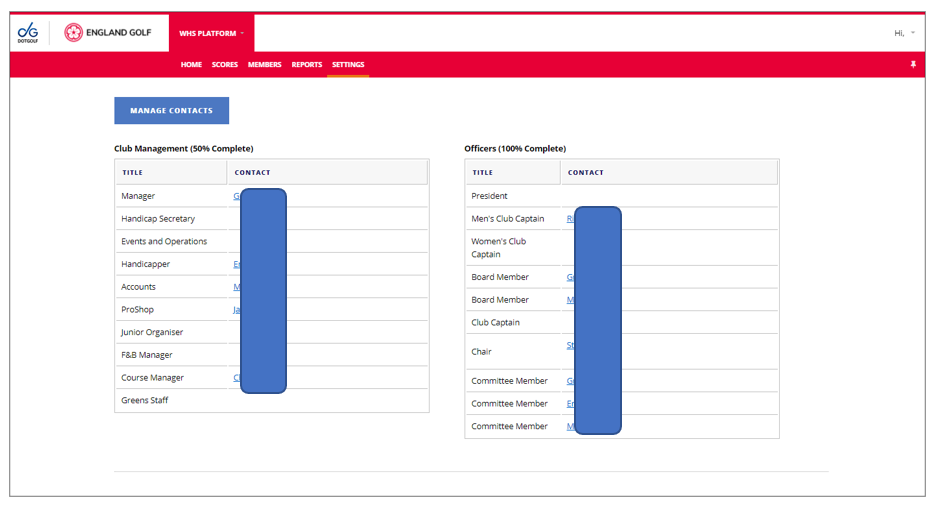
- Select the ‘Settings’ menu option/tab.
- Select ‘Contacts’.
- Select ‘Manage Contacts’ to update any of the contact information displayed or to add a new contact by selecting the relevant option from the drop-down list:
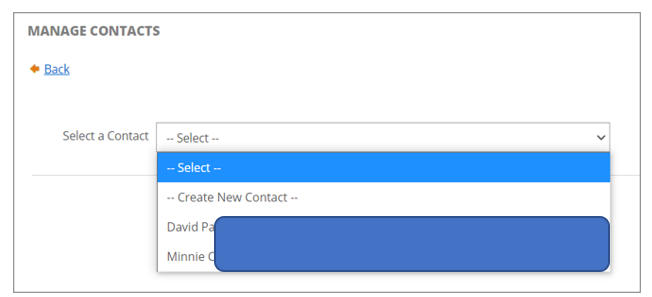
- If an existing contact is selected you can then update the information as necessary, or delete the contact:
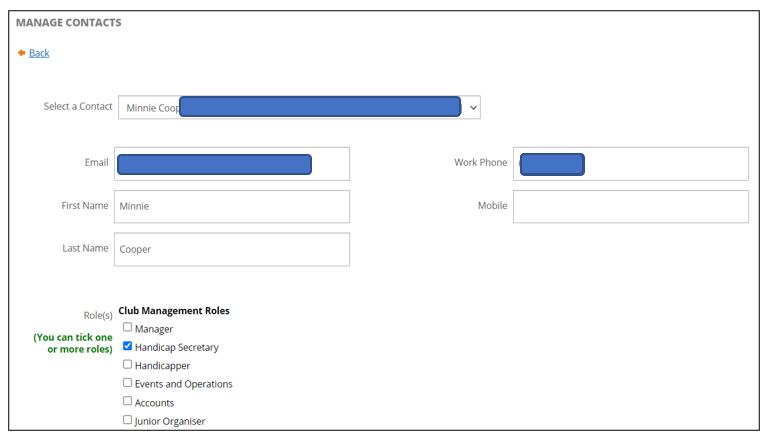
- If an existing contact is selected you can then update the information as necessary, or delete the contact:
- select either ‘Save Changes’, ‘Cancel’, or ‘Delete’ at the bottom of the page: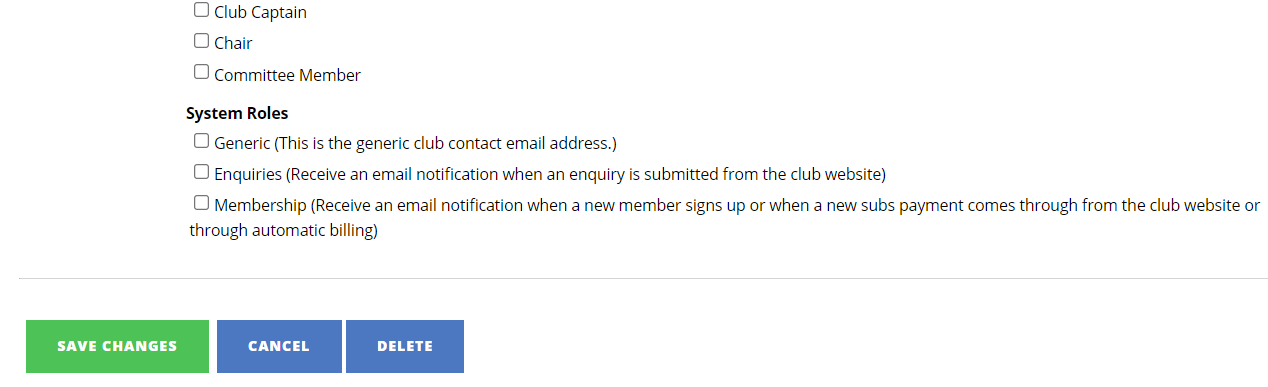
- If ‘Create New Contact’ is selected you can then add the new contact information as necessary, or delete the contact:
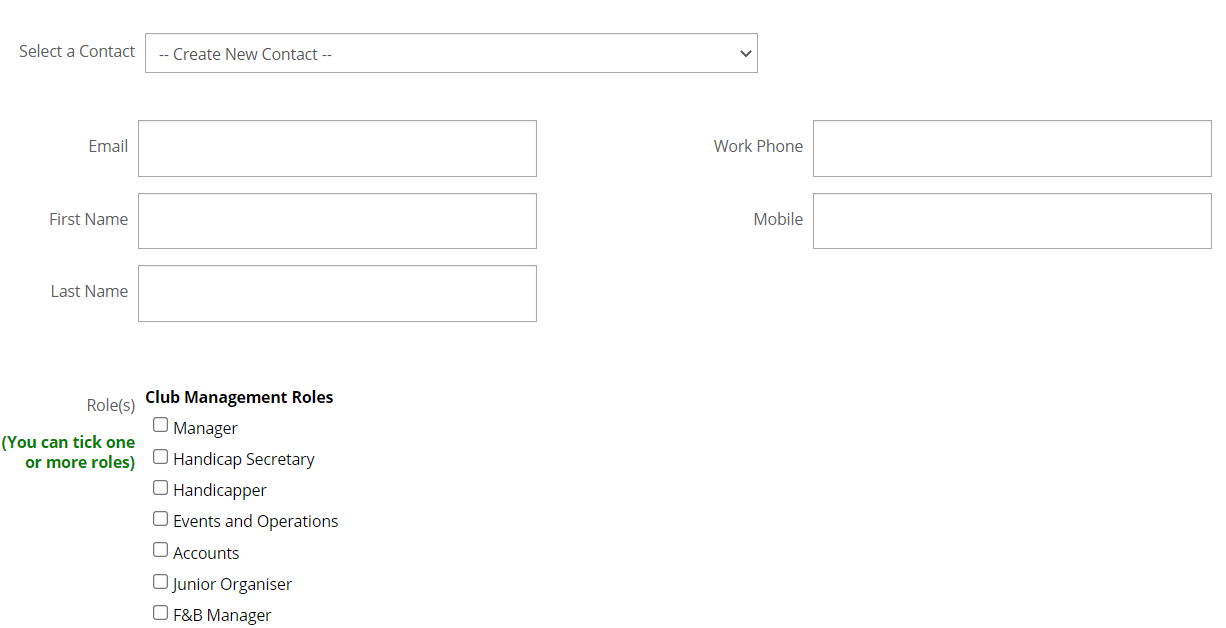 - select either ‘Save Changes’, ‘Cancel’, or ‘Delete’ at the bottom of the page: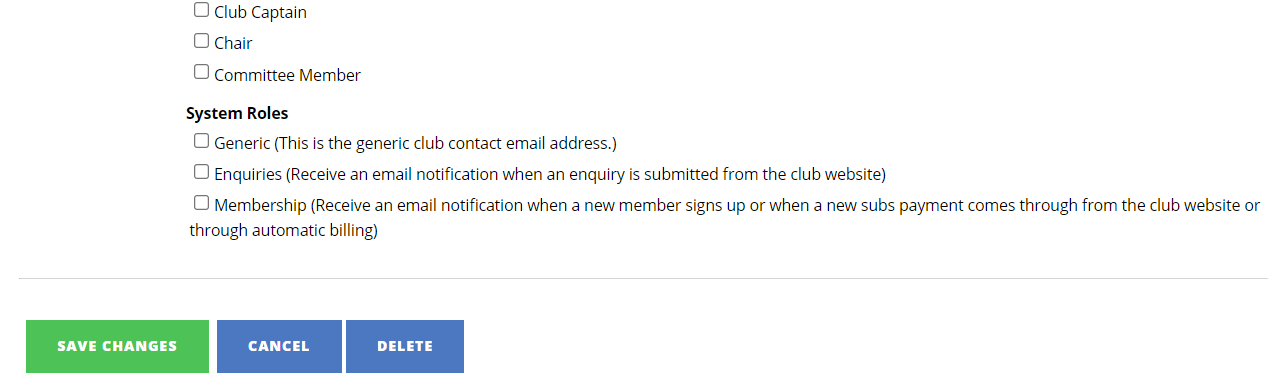
NOTE: at least one contact (preferably the Club Manager or Secretary) should have ‘Generic’ selected in System Roles – this is displayed at the bottom of the ‘Contacts’ page: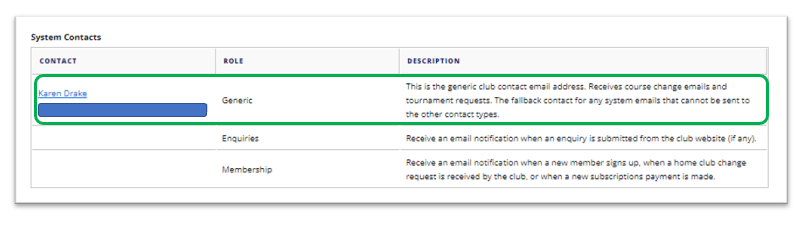 And is editable within the the contacts’ settings via ‘Manage Contacts’ as per steps 1-3 above:
Was this article helpful?
That’s Great!
Thank you for your feedback
Sorry! We couldn't be helpful
Thank you for your feedback
Feedback sent
We appreciate your effort and will try to fix the article