- Select the ‘Members’ menu option/tab:
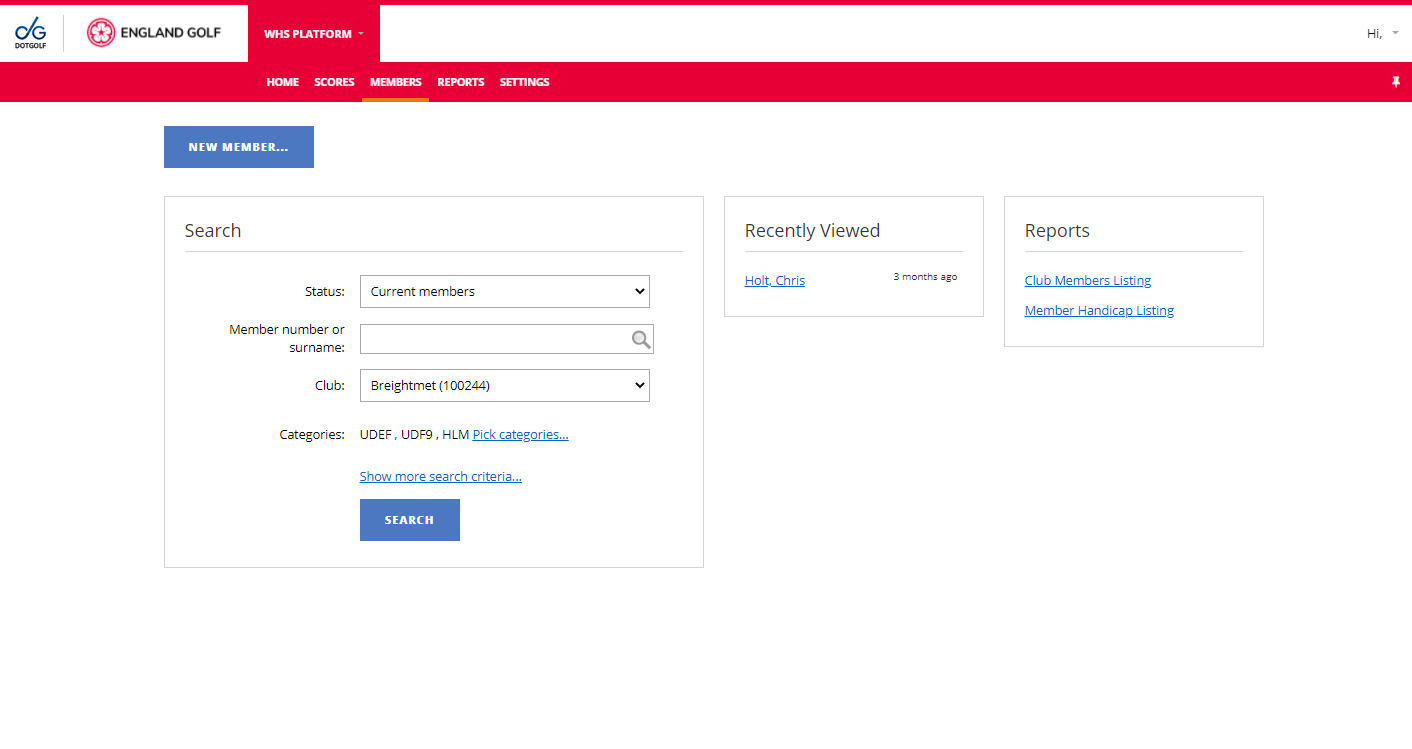
- Search for member (see Members: Existing Members: Searching)
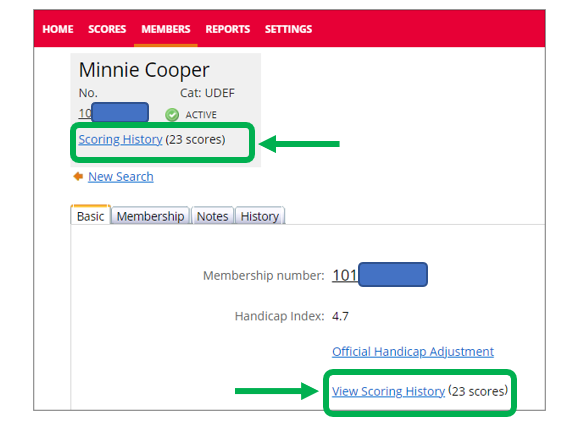
- Member’s ‘Scoring History’ can be selected by clicking the link either via the member overview area or via the basic tab:
Scoring record displayed with the option to filter: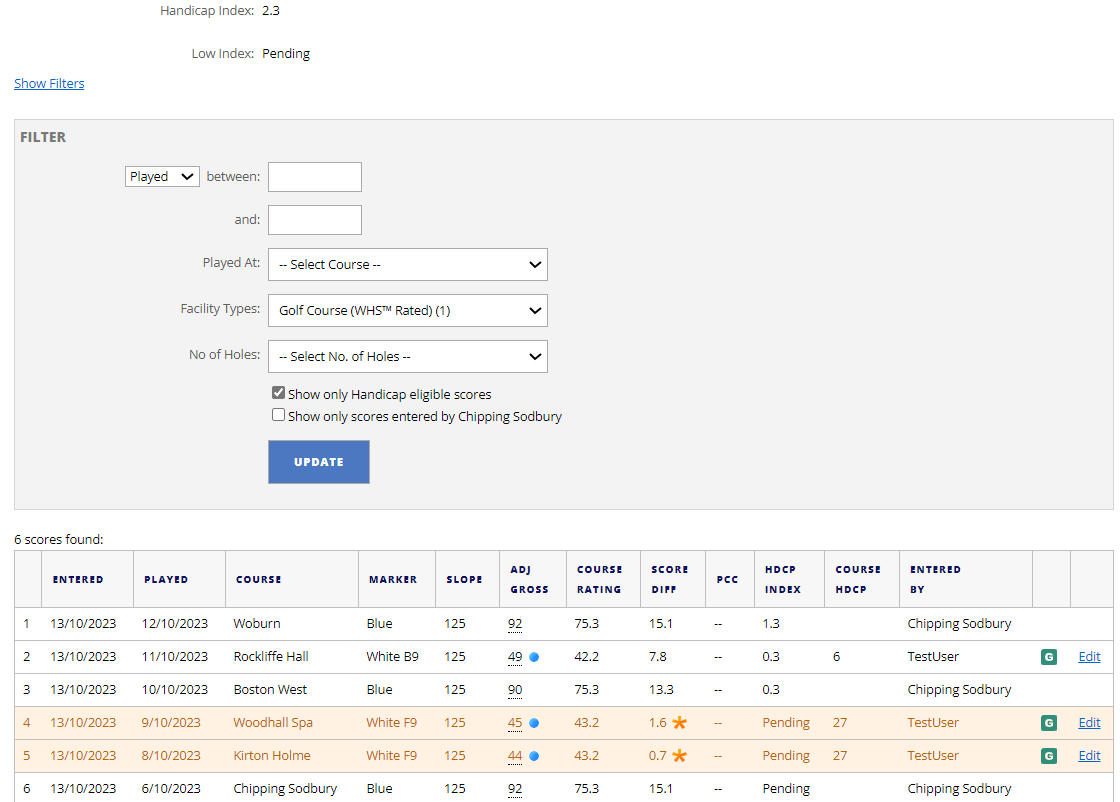
This functionality enables you to filter by:
- Date range
- From and to date options
- Courses played
- You can be specific to a single course played
- Facility type
- This allows you to select between:
- Golf Course (WHS™ Rated)
- Mini Golf
- Short Course
- This allows you to select between:
- Number of holes played
- You can filter between 9 or 18 hole rounds played
Score History List:
- Scores used in the Handicap Index calculation are highlighted and indicated by a yellow star.
- 9-hole scores marked with a blue dot.
- C indicates a Competition score.
- G indicates a General Play score.
- P indicates a Penalty score.
- M indicates a Matchplay score
Was this article helpful?
That’s Great!
Thank you for your feedback
Sorry! We couldn't be helpful
Thank you for your feedback
Feedback sent
We appreciate your effort and will try to fix the article