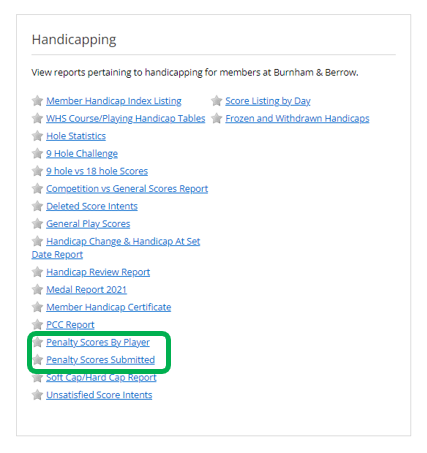
There are two reports available for clubs to utilise and review, both are available via the reports tab. These reports can be viewed or exported for further use and are:
- Penalty Scores by Player
- Penalty Scores submitted
Penalty Scores by Player – this report allows the committee to see the number of penalty scores by player name over a set date range.
Penalty Scores submitted – this report provides additional detail for the committee which includes - adjusted gross total for each score, if the original score was submitted, if the MyEG app was used and the name of any nominated attester.
Penalty Scores submitted
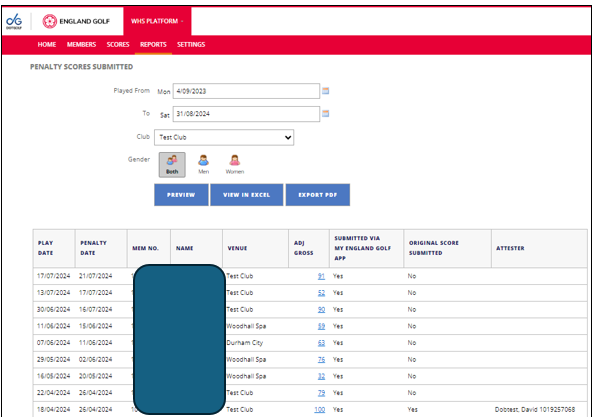
This allows the club to filter by a date range to review which members have received a penalty score, the report shows:
- Play Date – Date the score intent was created
- Penalty Date – Date the penalty score was added
- Men No. – The players membership number
- Name - The player’s name
- Venue – where the score intend was created
- Adjusted Gross – the penalty score applied to the record
- Original Score Submitted – If the score used was the same as the score submitted this will say yes, If the score has been calculated using C.R.™+CH™ it will say no.
- Submitted Via My England Golf App – If score was submitted by the App this will be marked as yes, by any other means (Club ISV, or Manual entry) it will say no
- Original Score Submitted – This shows if the scorecard was sent for approval
- Attester – This will only be populated if the score had been sent to the attester but had not been attested within the time frame.
By ‘Clicking’ on the score, it will take you directly to the score record so make editing easier.
Penalty Scores by player
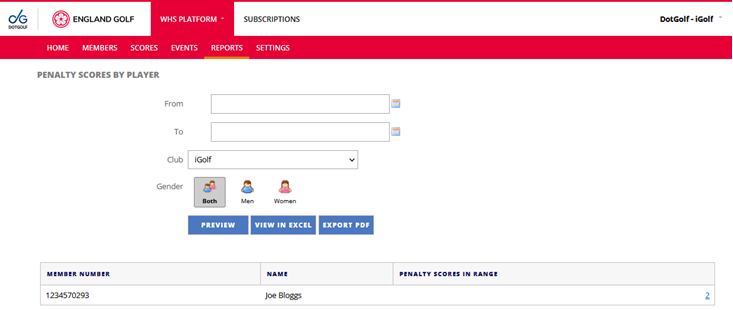
With a date range and gender filter set, this will allow clubs to look at the number of players with penalty scores within the designated time period.
By Clicking on the number under scores in range, the report will let you look in more detail at these scores submitted by the player.
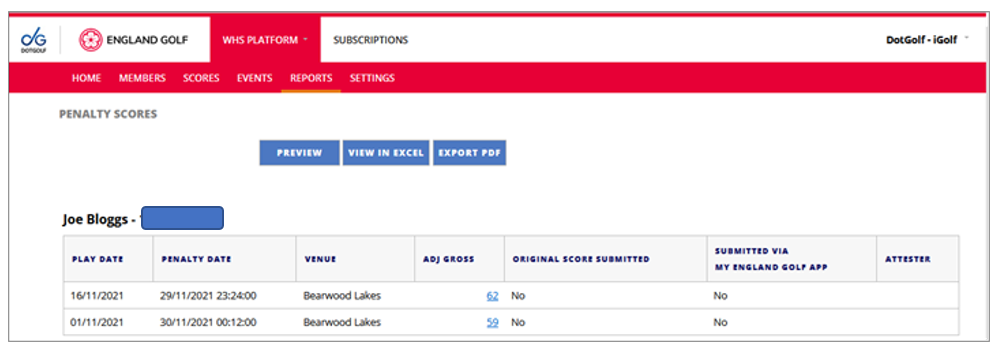
The report shows similar information to the first report but just for one player, identified at the top of the report.
Was this article helpful?
That’s Great!
Thank you for your feedback
Sorry! We couldn't be helpful
Thank you for your feedback
Feedback sent
We appreciate your effort and will try to fix the article