This report can be used to check for busy or quite days or to support future event management and selling of tee times. It can also be used to check how many scores were returned on a specific day (min of 8 for PCC to kick in)
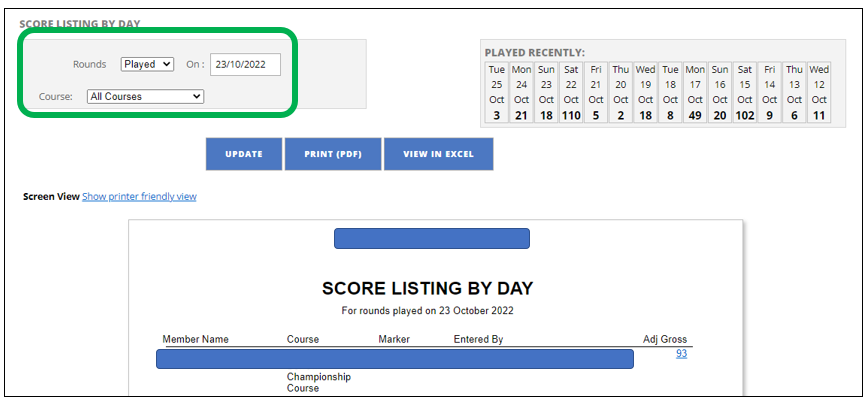
- The Rounds field can be changed to either “played” or “entered”
- The date field can be changed to any given single date
- Course can be changed to suit you club
- You can select any given date from the “Played Recently” table (top right)
- Select “Update” to make your changes active
- Print or View in Excel to download the report
Was this article helpful?
That’s Great!
Thank you for your feedback
Sorry! We couldn't be helpful
Thank you for your feedback
Feedback sent
We appreciate your effort and will try to fix the article